Block the unwanted
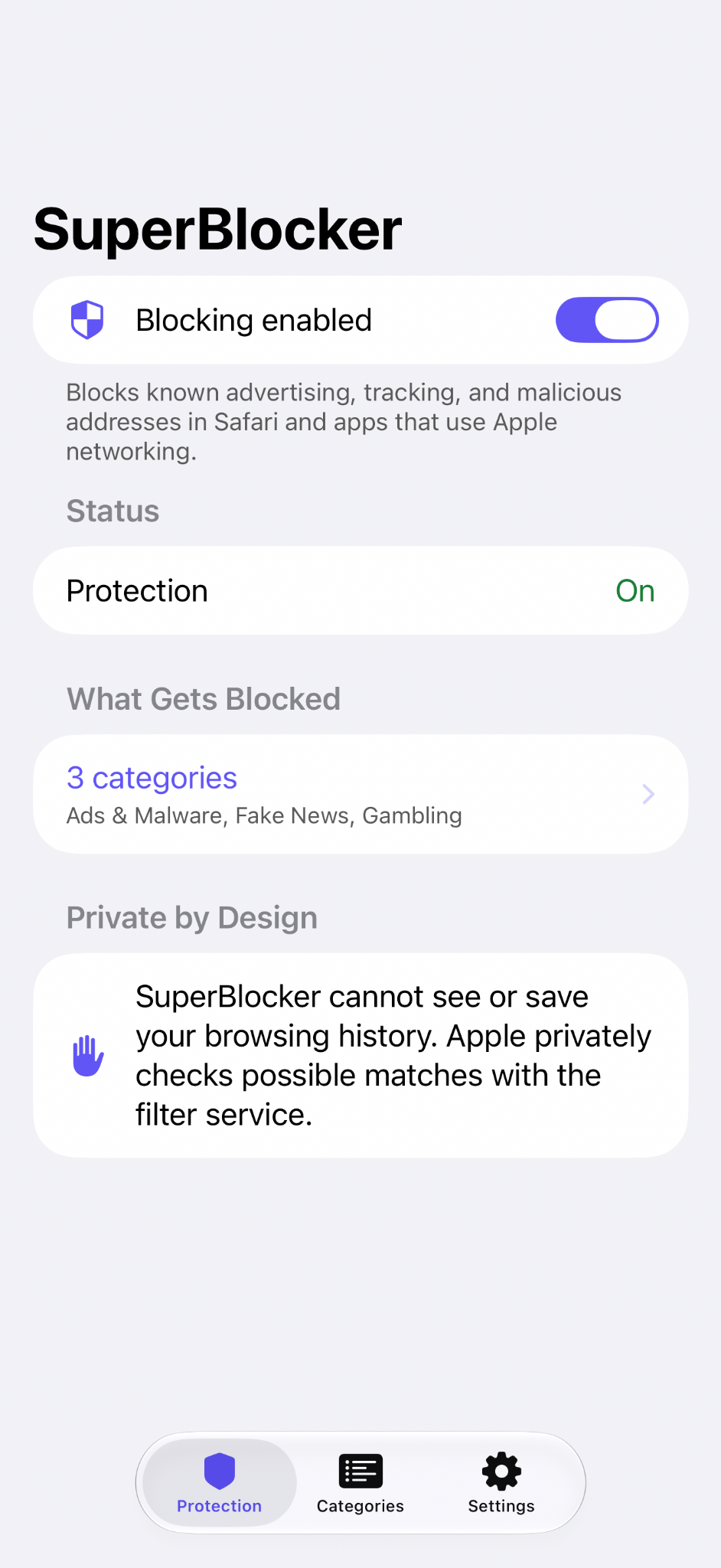
Filter known advertising, tracking, and malicious addresses in Safari and apps that use Apple networking.
FOR IPHONE & IPAD
Your ad blocker should block ads.
Not watch you browse.
SuperBlocker blocks ads and unwanted content without a VPN, a subscription, or collecting your browsing history.
One-time purchase. All features included.

LESS IN THE WAY. MORE OF WHAT MATTERS.
Filter known advertising, tracking, and malicious addresses in Safari and apps that use Apple networking.
SuperBlocker uses Apple’s URL filtering technology. You don’t need to route your traffic through a SuperBlocker VPN.
One paid app with every feature included. No subscriptions, in-app purchases, or accounts to manage.
PRIVATE BY DESIGN
The best way to protect your browsing data is never to receive it in the first place.
SuperBlocker supplies the blocklist. Your device handles the filtering. The URLs being checked aren’t shared with the SuperBlocker app.
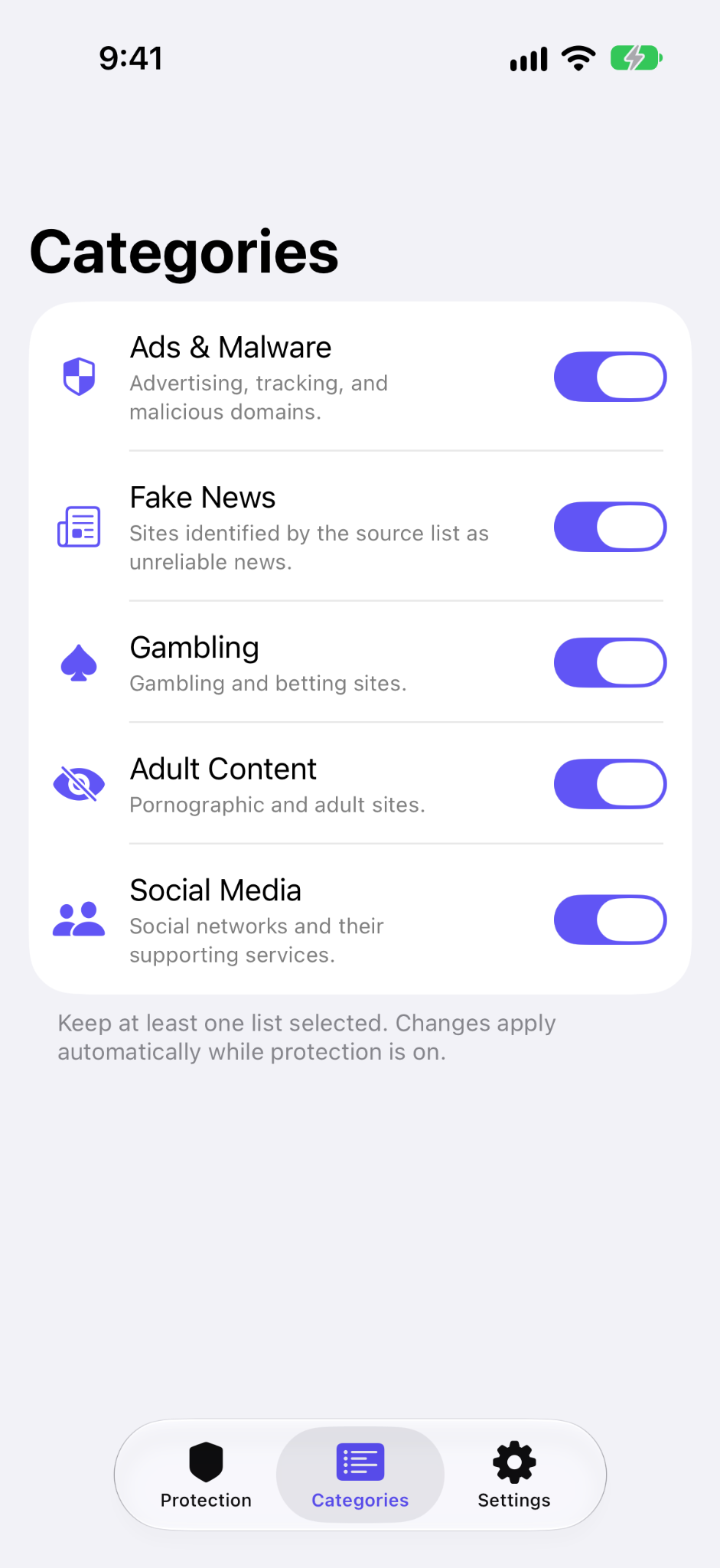
You choose which categories to block.
Apple’s URL filtering handles the check.
When a server lookup is needed, Private Information Retrieval and Oblivious HTTP keep the URL being checked hidden from both SuperBlocker’s servers and Apple.
YOU CHOOSE WHAT GETS THROUGH
Choose the blocking categories that fit your day. Changes apply automatically while protection is on.
Advertising, tracking, and malicious domains.
Sites identified by the source list as unreliable news.
Gambling and betting sites.
Pornographic and adult sites.
Social networks and their supporting services.
A FEW GOOD QUESTIONS
No. It uses Apple’s URL filtering technology, so there is no SuperBlocker VPN carrying your browsing traffic.
SuperBlocker cannot see or save your browsing history. The URLs being checked aren’t shared with the app, and Apple’s privacy-preserving lookups protect the checked URL.
No. SuperBlocker is a one-time paid app. All features are included, with no subscriptions, in-app purchases, or signup.
SuperBlocker filters known addresses in Safari and apps that use Apple networking. Coverage depends on how an app makes its network requests; it doesn’t promise to remove every ad in every app.
Yes. Select the categories you want in the app. Keep at least one list selected; changes apply automatically while protection is on.
ONE APP. LESS NOISE.
Private ad blocking for iPhone and iPad.
One-time purchase. Every feature included.